
A concise B2B enquiry form is not simply the one with the fewest questions. Each field should have a clear purpose, collection point, audience and follow-up. Review recent enquiries field by field. If an answer does not affect the first reply and has no clear operational use, consider making it optional, asking later or removing it. A small team can start with a spreadsheet; ask whoever proposes a field to name the problem it solves. Walk through the full journey, from submission and notification to reply, storage, closure and data requests. Record public explanations and internal access together, so information removed from the form does not move into notes or attachments.
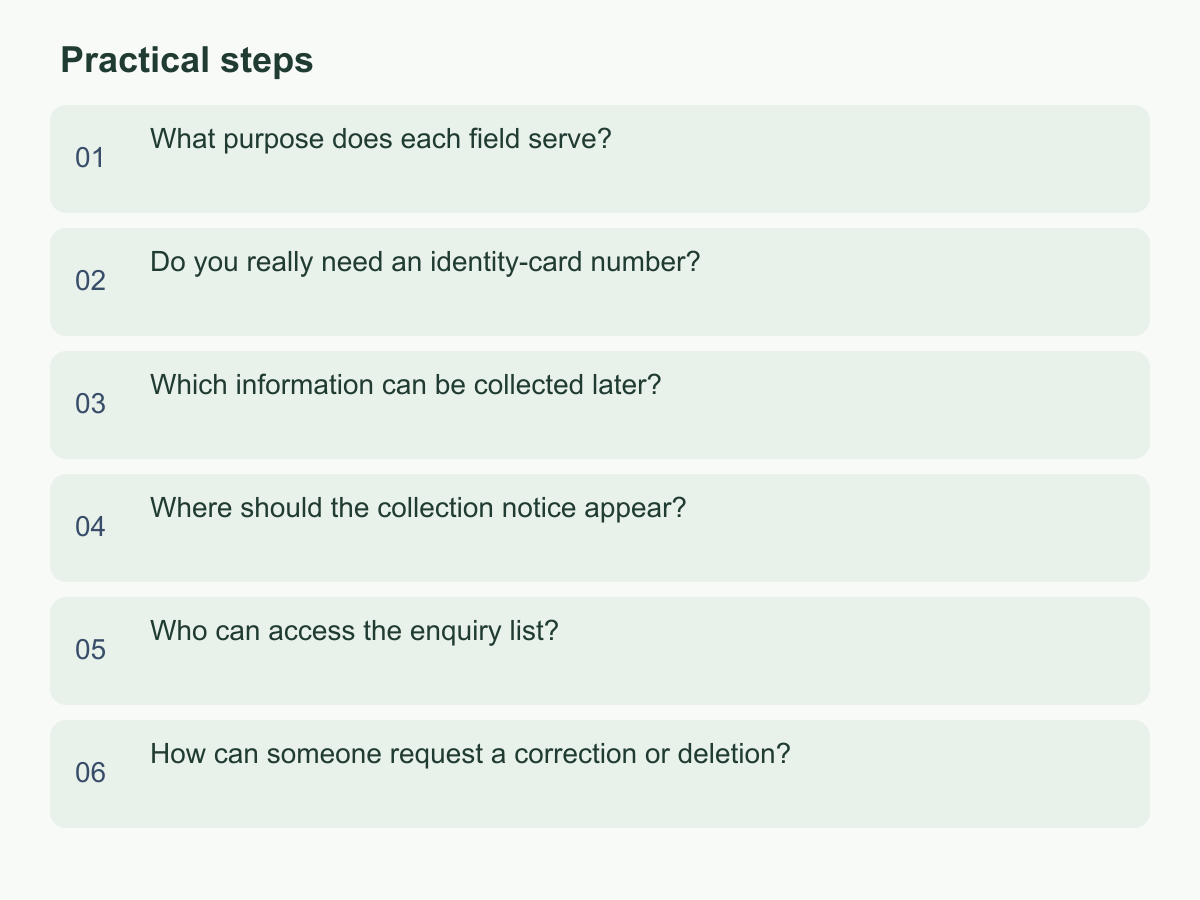
What purpose does each field serve?
For each field, identify the step the answer supports; “it might be useful later” is not enough. A name helps address a contact, an email or phone enables a reply, a company name may identify the organisation, and a short description gives context. One contact method may be sufficient. If a company name is needed only for a later quotation or engagement, ask then. If budget is used only to rank enquiries, check whether the team can still give a useful first reply without it.
| Field | Needed for first reply? | Suggested approach |
|---|---|---|
| Name | Useful for addressing the contact | Keep; make optional |
| Contact method | Needed to reply | Require one |
| Company name | Depends on the enquiry | Defer if possible |
| Budget or address | Usually not needed | Remove or ask later |
Look for duplicate requirements, such as both phone and email, that add effort without changing a decision. For each field, note its owner, purpose, required-field reason and review date. Pause fields with no clear purpose or actual user. Ask responders for a recent example of how an answer changed their reply. If it only supports internal ranking, try making it optional and observe whether work is affected; record any extra follow-up before deciding whether to restore it.
Do you really need an identity-card number?
Ask whether the team can identify the sender, respond and arrange an initial discussion without an identity-card number. If so, do not collect it on a public form because it might be needed later. It is highly identifying, and copies in email, spreadsheets or shared inboxes can widen access. Whether an identifier is needed depends on the actual process, location and purpose; a document needed for one later procedure does not mean every enquirer needs it at the first step.
If later verification is genuinely required, have the process owner record when that step begins, who confirms the need, whether it can pause if information is unavailable, and which controlled channel will collect it. Tell visitors not to enter identity-card numbers, document images or account passwords in an initial enquiry. Explain the purpose and submission method individually if information is needed later. Do not put identifiers in general comments or request complete documents to describe an unclear need.
Use “do not collect for now; assess if needed later” as the default. If someone proposes a mandatory identifier, ask which step would be blocked and whether less identifying information would work. If the reason is easier searching, improve case references or contact records. Keep a short decision note stating the necessary step, why alternatives are insufficient, who handles the information and when to review. If those points are unclear, do not collect it yet.
Which information can be collected later?
A first submission usually needs to say who wants to be contacted and what they want to discuss. Ask whether detailed addresses, identity-document images, full company documents, budget ceilings, planned setup dates or shareholder and employee details can change the first reply. Sort fields into three levels: needed to respond, helpful for initial understanding, and needed only for a later process. Keep the first level to a contact method and short description; make the second optional or allow “not decided”; request the third only when that work is confirmed and explain why and how to provide it.
For a cross-border operations enquiry, a name or preferred form of address, email and short description may be enough. A home address, registration documents and identity details for every participant need not be collected at once. If region changes the response, consider a broad location choice. If budget helps plan a discussion, offer ranges or “not decided” rather than requiring an exact amount.
Before adding a later-stage field, specify its trigger, collector and the explanation the person will see. If no one owns the step, do not add it in advance. Review a small sample of enquiries monthly to see which answers informed replies and which went unread. After a change, compare enquiry types and handling time; if service quality is unaffected, keep the shorter form. Check that optional fields do not still look mandatory through asterisks, warning colours or error messages.
Where should the collection notice appear?
Put a short explanation near the relevant fields and make the full notice available before submission. Do not rely only on a footer privacy page or explain collection afterward. Use clear labels rather than “other information,” mark optional fields, and remind people beside a comments box not to enter unnecessary sensitive details. The notice should describe the real data flow.
Check that it identifies the collector, information collected, purposes, internal roles with access, any external processing, and how to request access, correction or deletion. Confirm each detail against the actual process and applicable requirements. Do not imply external sharing if there is none; if a form or email provider processes the information, do not say it stays only on the website. A short summary can link to a fuller notice, but the two must agree.
Ask someone unfamiliar with the process to try the form and explain who will use the data, who may see it and how to ask a question. If they have to guess, revise the wording or placement. Assign an owner to update the notice when the inbox, form tool, access roles or purpose changes, and keep track of the current version. Do not combine different purposes in one vague checkbox.
Who can access the enquiry list?
Trace the route from form to closure: the receiving inbox, who can access it, copies in spreadsheets or customer-management tools, and backup locations. The platform’s administrator list is not enough; attachments, forwarded emails, shared links and downloads create copies too. Note each role, action and storage location, describing access by responsibility, such as “person handling the first reply,” rather than granting it to a whole department.
Give access according to the work required. Responders need contact details; a website configurator may not need the full list. Give temporary collaborators limited access only for a specific task. Use individual accounts, sign-in verification, permission levels or access logs where the tools support them. Avoid shared logins and files open to anyone with a link. Before an external tool handles enquiry data, check its purpose, permissions and transfer method, and reflect that in the notice.
Review access when people join, leave, change roles or finish a project. Downloads need a work reason and secure storage. A data owner can review accounts and shared locations periodically, adjusting frequency for sensitivity and staff turnover. If an unfamiliar recipient appears, pause new sharing, trace existing copies and correct permissions. Remove obsolete forwarding rules. Keep enough information to answer who accessed the list, why, when access ends and how the change was confirmed.
How can someone request a correction or deletion?
Provide a monitored contact route for questions, corrections or deletion requests. Say it covers form data and what can help locate a record, such as submission date, contact email or enquiry topic. Do not request an identity-document image or password as the first step. If verification is needed, assess a proportionate method for the case and use a controlled channel.
Record the date received, responsible role, copies located, actions taken, whether a reply is needed and any reason the request remains incomplete. Search the form record, receiving inbox, exported spreadsheets, shared folders and collaboration tools with access. If information moved into another workflow, decide whether it needs correction there too. Before deleting, identify active work or records that may need retention and decide how to proceed under applicable requirements and responsibilities. Do not promise immediate removal of every copy or invent a fixed retention period.
Place the route in the notice and somewhere easy to find on the website; assign a primary handler and backup. A periodic exercise with fictitious data can test whether staff can find records and copies, restrict unnecessary access, decide on a correction or deletion and document the result. Update steps that caused delays. Finally, list each field, its purpose, required-field reason, viewers and possible later collection point. Try removing one field with no clear purpose and observe whether replies still run smoothly. For more about Chan & Chung as a Hong Kong consultancy, visit the English homepage.