
Cross-border CRM records can disagree even when teams use the same fields: country may mean registration or served market, a blank may mean unknown or missing, and record owner may mean the creator or the person responsible for the next step. A field dictionary gives everyone shared definitions, formats, and responsibilities for the same handoffs. The practical examples below are hypothetical.
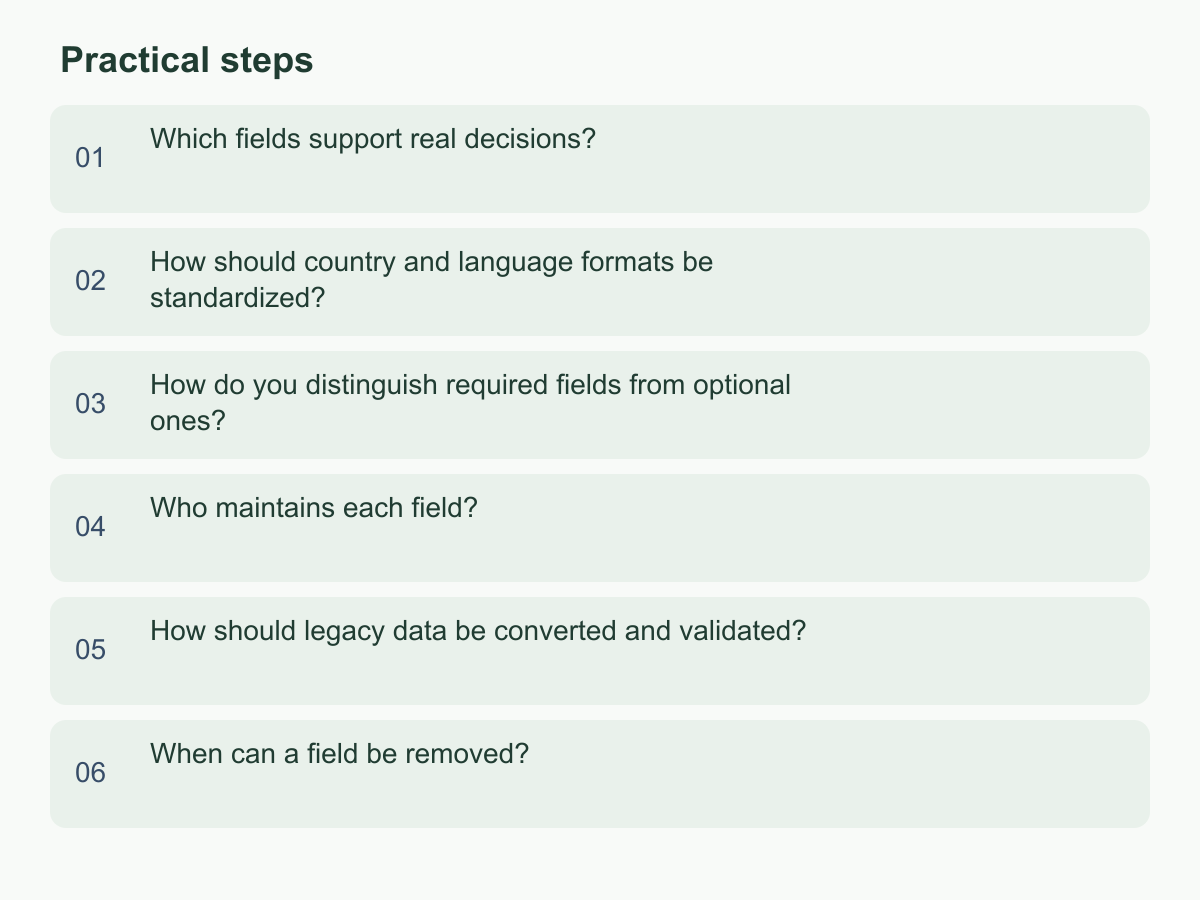
Which fields support real decisions?
Start with a decision the team needs to make, then identify the fields that support it. A market investment review may need service market separate from registration country. Opportunity follow-up may need stage and expected decision date. Source reporting may need the earliest confirmed contact channel separate from later interactions. These examples should fit actual workflows, not another CRM’s template.
For each field, record a stable key, display name, definition, data type, source, allowed values, blank meaning, supported decision, responsible role, and revision history. Collect a field only when it serves a purpose. Keep names short; put interpretation rules in descriptions. Define conversion statuses, when they change, and who updates them instead of accepting free text such as “successful.”
Ask: if this field disappeared, who could not take a next step? If no one is affected, defer it. Company location and service market answer different questions; combining them weakens cross-market reports. Use consistent English keys and separators for data exchange, with translated display names if needed. Have colleagues classify the same hypothetical records. Different answers mean the definition needs clarification before you add another field.
How should country and language formats be standardized?
Treat registration location, customer market, served market, and language as separate attributes. They can differ, and a contact’s preferred language cannot be inferred from country. Define each field’s format and when it should be maintained.
A market field might pair a stable internal code with a display name, such as hypothetical code TW for Taiwan. Document what the code represents and assign a steward to maintain the mapping. Keep codes stable for exports and handoffs even if display names are translated.
Record preferred communication language per contact. Add a document-language field only when needed, and a time-zone field only for scheduling or service. Store dates unambiguously, such as 2027-03-04, then display them in the team’s chosen format; 03/04/2027 can mean March 4 or April 3. Follow the phone-input rule for country codes, keeping them with phone numbers rather than customer location.
For unconfirmed values, use a status such as pending confirmation and assign follow-up. Never infer a market from a blank. Before cleanup, inventory formats, approve a mapping, and assign a steward. Define whether multiple values are allowed and how to request new ones, or “Other” can become unstructured text. Company language does not replace each contact’s preference.
How do you distinguish required fields from optional ones?
Require a field when leaving it blank blocks a specific action or handoff, not simply because it may help someday. Set requirements at creation, by stage, or keep fields optional.
For example, allow a lead into the CRM before its market is known. When assigned to a market team, require service market or allow pending confirmation. Require an expected decision date before proposal only if the team uses it to plan follow-up. This keeps initial entry manageable while assigning responsibility at the right point.
For each rule, name the supplier and timing, verification source, and missing-value path. Distinguish unknown, not applicable, awaiting a customer, and missing. If a source cannot be traced, choose unknown and record who decided that; do not hide it under Other. For a quantity, zero means confirmed absence; blank means not yet obtained.
Optional fields still need a purpose. If nobody reads, filters, or acts on one, reconsider it. Collect enough to identify and route a record, then ask for more as work advances. Rehearse rules across markets: can incomplete records proceed, can exceptions move forward, and can the next person understand the data? If a blank matters only later, define that threshold and assign follow-up then.
Who maintains each field?
Assign each field a primary role responsible for its definition, quality, and exceptions, with a backup if needed. The data owner is not automatically the CRM account owner or record creator. If several people contribute, name one final decision-maker for conflicts.
Record who enters and verifies the value, who may edit it, the source, review frequency, and where disputes go. Roles outlast individual names, but still need a handover process. A hypothetical team might have marketing maintain first contact source, the salesperson update the next decision date, and operations maintain the market-code map. Choose roles to fit actual work.
Define when a value may change. Do not overwrite the earliest source with later interactions unless evidence supports a correction. When a record changes hands, outgoing and incoming owners should confirm the handoff. Route disputed market classifications to the dictionary steward and keep supporting evidence with the record.
A monthly or quarterly review can sample recent changes, unknowns, and duplicates, then assign an owner and due date for each issue. Small teams may combine roles, but should distinguish data entry from definition decisions. Align permissions with responsibilities. For cross-department changes, record the reason, affected reports, approving role, and effective date, then notify users.
How should legacy data be converted and validated?
Before conversion, inventory fields, formats, record counts, reports, and automations. Map old fields and values to new ones, preserving a recoverable copy. Confirm the conversion owner, backup restoration, file access, and rollback conditions.
Classify values as clearly mappable, needing human interpretation, or unconfirmed. Rehearse a small sample; check field direction, blank meanings, dates, and text encoding. If an old value mixes meanings, preserve it and ask the data owner instead of guessing.
For example, 100 records need review: 92 match an approved mapping, 5 have unclear source meanings, and 3 lack market data. Confirm 92 + 5 + 3 = 100. Sample the 92; list the other 8 as exceptions with reasons and handlers. Do not discard them or assign defaults.
Set acceptance conditions. Compare field totals and original-to-new samples; check duplicates, blanks, and unmapped values. Verify total records, unique identifiers, status counts, and old-to-new mappings. Sample every source type, not just easy values. Ask report users whether results still support their decisions. Mark outcomes passed, awaiting a decision, or failed; unresolved exceptions are not complete. If totals differ, stop safely and find whether source or rule caused it. Schedule input freeze, import, checks, and rollback; avoid parallel edits to old and new tables.
When can a field be removed?
An outdated field may still hold useful history. Identify who enters, reads, or exports it. Check reports, forms, integrations, and handoffs for dependencies. Confirm a replacement preserves meaning; similar names do not prove equivalence.
The owner and affected users should agree on reason, scope, recovery, and review date. For duplicates, stop new entries and observe for a team-set period to see whether anyone still needs the field.
Retire in stages: mark the field as retiring and notify users; stop new entries; remove report dependencies; then remove the configuration. Assign a role and check per stage; monitor workflows. If a necessary use remains, restore the dependency or complete the replacement mapping before reassessing.
Handle historical values under retention and access rules. Do not delete history just to tidy the interface or assume every value must be kept forever. Determine applicable periods through internal policy and professional advice. Confirm authorization before deleting data and keep a record of the decision. Removing a field should not trigger unplanned customer-data cleanup.
To get started, choose one cross-market handoff and document its field names, definitions, formats, and responsible roles. Rehearse with real records. For more information about Chan & Chung, visit the official homepage.