
Cross-border customer data can sit in enquiry forms, email threads, shared folders and working notes. A useful inventory follows each data flow: why information is used, where it goes, which systems and people are involved, and who confirms the details.
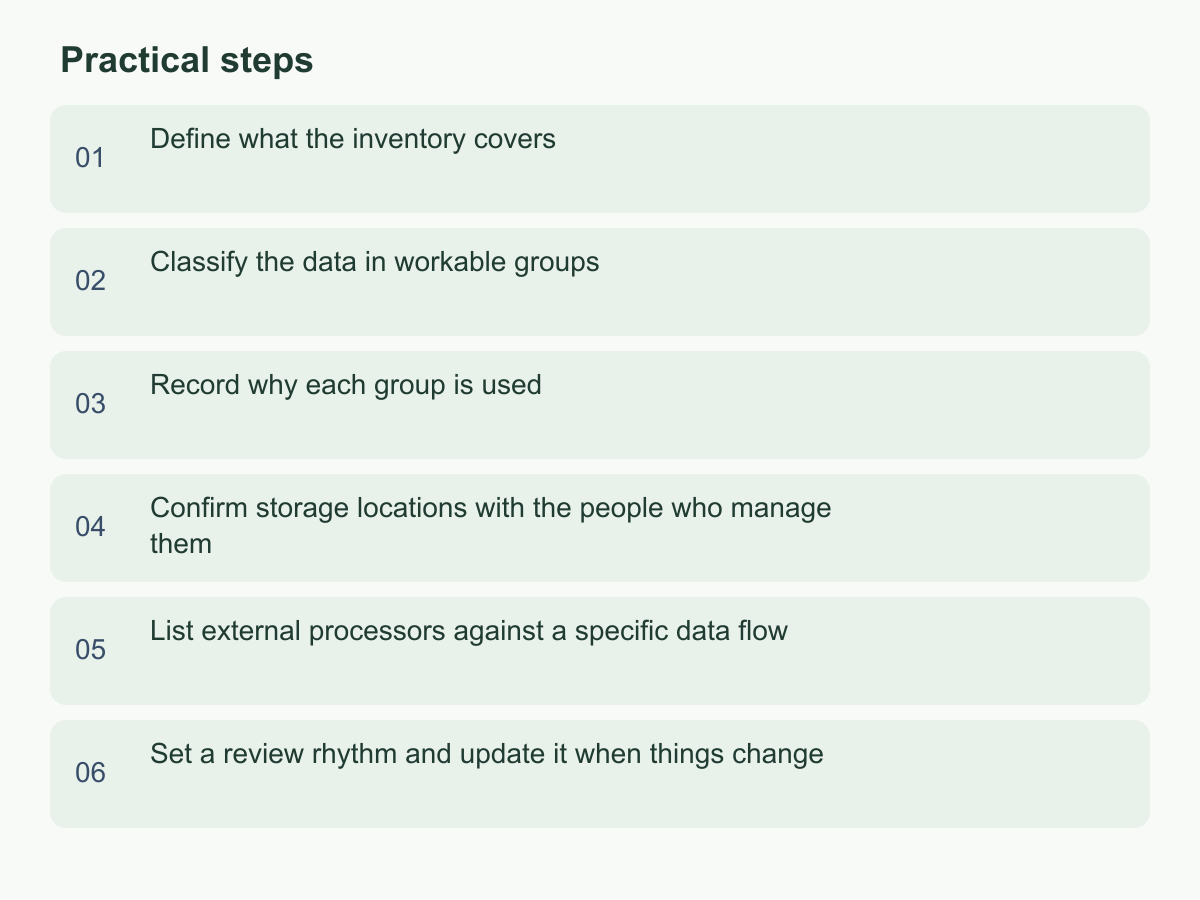
Define what the inventory covers
Define customer data for this inventory as information that identifies or allows contact with a person, and how it is collected, used, stored or transferred during cross-border enquiries, contracting, delivery and support. If a record includes a contact’s name, direct phone number, personal email address or signature, include those details in the relevant group.
Trace one workflow from start to finish. Ask who receives the information, when and from where; who uses it next and for what task; and where it ends up. Follow initial enquiry, needs confirmation, quotation, handover and support. Check attachments, meeting notes, downloads, temporary exports and paper records converted to digital files as well as the main system.
Give each row one combination of data group, purpose and workflow or system. If an address is used to answer an enquiry and send promotional updates, record those uses separately because they may involve different users, access and retention decisions.
A practical starting set of fields is:
- Data group and elements; collection source and purpose
- Workflow, system or file location, and region if confirmed
- Access teams, system administrator and external processor
- Retention-decision owner, last review date and open questions
Assign responsibilities to roles. The workflow owner describes actual practice; the system administrator confirms locations and permissions; and the retention-decision owner handles what happens when the work ends. These may be different people.
For example, suppose an enquiry form provides a person’s name and business email address, which the team uses to reply before moving the details into a work system. If nobody knows which shared mailbox receives form notifications, mark that as unresolved and ask a form user to check. This is more useful than guessing that the information is in company cloud storage.
Classify the data in workable groups
Classification should help a team decide how to use and manage information; internal labels need not be presented as legal categories. Start with recognisable groups such as identity and contact details, communications, transaction or payment correspondence, identity documents, and work records created during delivery. A person may appear in several groups, so avoid putting everything in one row called customer data.
Set practical internal risk levels, such as ordinary contact details, transaction records with restricted access, and identity documents needing tighter controls. Connect each level to access, sharing and review decisions.
Use three questions to choose a level:
- What could happen in practice if the information were exposed?
- Which roles need to see it to do the work?
- Could the task use fewer details or less sensitive information?
Record the data elements, who supplies them and how they arrive: a form field, message, scan or call summary. Note whether they identify a person alone or when linked to other records, and which copies are known. For identity documents, clarify whether staff briefly view the file, a specific role downloads it, or it is saved in a general work folder. Check the actual process when the field name does not explain the contents.
Suppose an enquiry needs only a name and business email address, but the team also receives a full identity-document scan. List contact details and the restricted-access document separately, then ask the appropriate owner whether the scan is needed for later work. This makes the amount, access and purpose visible without asking the inventory writer to decide the document’s legal status.
Record why each group is used
The purpose field should explain why information is collected and what task it supports. Avoid entries such as business need, customer management or internal use. A useful pattern is: to complete a specific task, a named role uses a particular data group. For example: To respond to this enquiry, the contact handler uses the person’s name and business email address.
Keep one main purpose in each row, and identify when it occurs, who uses the data and where it came from. If details move from an enquiry form to a work system so the team can continue that enquiry, explain the handover. If someone proposes using the address for event updates, record a separate purpose and flow, including when people are informed and which team would use it. Having the address does not explain every later use.
For each purpose, ask:
- Which details are needed for the task?
- Which roles will use them?
- Must the data go to another team or an external processor?
- Who decides what happens when the task is complete?
If one contact method is enough, do not list an entire customer file as necessary. When a change of use or external explanation is unclear, refer it to an appropriate internal owner or professional adviser. The inventory records a workflow; it is not a customer promise or legal determination.
Compare two hypothetical purpose notes: To send this quotation, the contact team uses the contact person’s email address, and customer communications. The first is easier to trace because it names a task, data group and role, so a reviewer can check the sending location and copies. The vague version could mean a quotation, bulk message or support notice. If practice has moved beyond the recorded purpose, update the flow and have its owner confirm it.
Confirm storage locations with the people who manage them
Follow the copies a workflow can leave behind, not just the main system. Check the collection point, form notification mailbox, work system, shared folders, email attachments, download locations and temporary exports. Include paper or meeting records when the process creates them. For each location, record the system or file location, managing team, whether its region is confirmed and who can access it. Cloud or company system is too vague for a colleague to locate data or check permissions.
Ask the people who know each part. The workflow owner explains how information arrives and why it is passed on; the system administrator verifies folders, account groups or exports; and the retention-decision owner decides what happens when work ends. Track access teams separately from system administrators, since account managers may not need to read customer records.
Walk through one record from source to main storage, then check for copies in other workspaces, messages to other teams or downloads. Ask a user to describe the steps and have the administrator verify locations. If their accounts differ, record the gap and assign a checker. If a location remains unknown, note the last confirmed point and who will investigate; this distinguishes not yet located from confirmed to have no extra copy.
For example, suppose a quotation attachment is emailed and later placed in a team folder. Record both locations, the teams with access, who administers the mailbox and folder, and whether anyone downloaded a copy. Do not assume the sender owns every copy or that moving the file removes the email attachment. The retention-decision owner can decide next steps after the locations are checked.
List external processors against a specific data flow
Look beyond companies formally engaged to process data. A workflow may use hosted forms, email, cloud file storage, electronic signatures, video meetings or analytics tools. These are common external tool categories, not claims that Chan & Chung owns or provides them. Identify suppliers actually used, then record their formal name, data groups handled, purpose, using team, contract or procurement contact, and internal owner for checking the arrangement.
Tie each processor to a specific flow. Record who sends the data and how, which supplier roles or support staff may access it, whether the storage region or onward recipients have been checked, and how return or deletion will be confirmed when the relationship ends. If subcontractors, exported copies or storage regions are unknown, mark them as open questions and assign a supplier contact and an internal follow-up owner. A tool’s name does not confirm its settings or terms.
Hypothetical example:
| Data group and purpose | Location and access team | External processor | Retention owner and last review |
|---|---|---|---|
| Enquiry contact details; reply to this cross-border business enquiry | Form receipt location; contact team | Form and email host, name to be confirmed | Workflow owner to be confirmed; date pending |
Replace the generic description with the supplier’s name, then check the source, contract contact, data involved and end-of-service arrangements. If a colleague knows the tool but not the contracting entity or data destination, ask procurement, the system administrator or designated contact to verify it. Show what is confirmed and what remains open.
Set a review rhythm and update it when things change
Use a calendar rhythm and event-based reviews. Revisit affected rows when a collection form, system, processor, access team, purpose or storage location changes, or when a previously unknown copy is found. After an internal data incident, check whether the listed locations, contacts and access descriptions still match the workflow. Update relevant rows promptly rather than waiting for a full review.
A team could begin by reviewing twice a year, then review more often for workflows that change frequently or involve more restricted-access data. This is an internal starting point, not a statutory deadline. Choose a cadence that allows time to verify details and fits the workflow. Record the frequency, reminder method and a backup reviewer.
At each review, compare the current version with the previous one. Check each row’s data group, purpose, storage, access teams, external processors and retention-decision owner, then sample one real workflow. Record the reviewer, date, changes, unresolved points and follow-up owner. If nothing changed, note that it was checked and how; otherwise, later readers cannot tell whether the row was reviewed or overlooked. When teams disagree, capture the difference, assign a checker and ask the workflow owner to confirm the update.
To start, choose one active enquiry workflow. Ask a user and a system administrator to trace it separately, compare their findings, and send unresolved retention questions to the responsible owner. For more information about Chan & Chung, visit the Chan & Chung website.