
A renewal notice going to an old mailbox, or a company name that changed while a domain record stayed old, can make it unclear where to begin. First identify the registrant and managing account. Compare the registrar’s record with current company documents, confirm a reachable contact email and account control, request the appropriate update, and keep before-and-after evidence for an independent check. Registrar and company registration records are maintained in different systems. This administrative checklist does not replace company filings or legal advice on a specific matter. The goal is to establish what each field means, who may authorize a change, and what record supports it. Inventory first, decide whether to change contact details, a name, or the registrant, then verify the response and hand responsibility to a company contact who can maintain it.
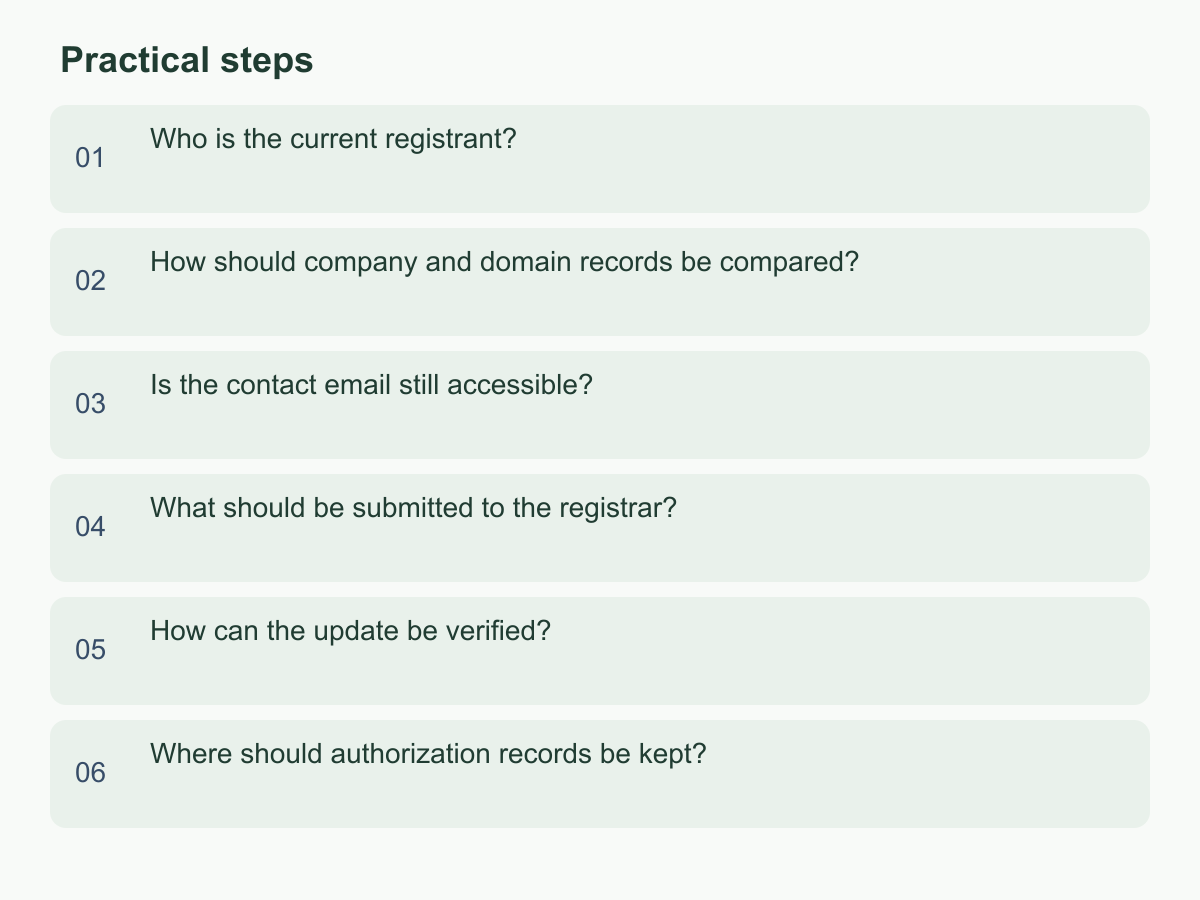
Who is the current registrant?
Start with the company’s domain inventory and verify each complete domain name and suffix. Sign in to the registrar account used for renewal or management. If the inventory is incomplete, use purchase receipts, renewal notices, and handover records to identify the registrar. Do not confuse it with the website host or DNS provider: website, email, DNS, and registration may have different vendors, and the invoice payer may not be the registrant.
In the account, record separately the registrant or holder, administrative contact, technical contact, billing contact, and account login user. Field labels vary; check the registrar’s descriptions and do not treat the login user as the registrant. If access is unavailable, trace permissions, notices, and handovers with the company’s IT contact or former maintainer, then ask the registrar about its verification process. An old invoice or DNS setting is a clue, not proof of authority.
If the registrant is a former employee, contractor, or unknown third party, pause for an authorized manager to confirm the company’s rights and evidence. Account control is not proof of ownership. Record visible fields, account custodian, and open questions in the inventory. Check spelling and suffix for similar domains; a website footer, trademark owner, or DNS contact does not replace the registrant field. Redact unnecessary payment details, private addresses, and account identifiers from screenshots. Ask the registrar if a field’s purpose is unclear.
How should company and domain records be compared?
Compare the company’s formal name, registration number, mailing address, and authority documents with the registrant name and address stored by the registrar. Check each field because updates do not automatically sync between systems. Spelling, Chinese and English versions, punctuation, floor numbers, and postal details can prompt follow-up. List the current and intended values, source document, and person responsible for confirmation.
An internal contact change may not require a registrant change. A company renaming, reorganization, transfer, or change from an individual holder to a company may affect rights or control. Confirm the registrar’s procedure and company approval before applying. For example, if Company A has updated its formal records but its domain account shows its old name, check whether both names refer to the same legal entity. Then determine whether the request is a correction or a change of registrant, and save the comparison, approval, and registrar response together. This illustrates a process; it does not guarantee that a registrar will accept the same evidence.
Company registries, banks, and tax authorities maintain separate records. Updating one does not update the domain record or replace a required company filing, and changing domain data does not replace a company filing. If documents conflict, ask the internal records owner which reflects the current position, then confirm what evidence the registrar accepts. Do not use an unsupported name to make screens match.
Is the contact email still accessible?
Check the addresses for the registrant, administrative notices, renewal invoices, login verification, and account recovery; they may be in different settings. Send a non-sensitive test message from another company-controlled mailbox. Confirm receipt and sign-in, and check spam handling, forwarding rules, capacity, and shared access.
If the registrar requires confirmation through the old address, make sure an authorized person can complete it before requesting an update. For a disabled mailbox, ask the mail administrator to restore it or use the registrar’s recovery process instead of resubmitting incomplete requests. If company email depends on the domain being managed, keep an independent recovery contact in case that domain or its email service is interrupted.
A personal mailbox may be a temporary contact if company policy allows, but do not leave the company domain permanently tied to one employee. If an employee or vendor controls the old address, an authorized manager should designate a company-controlled replacement, arrange the transition, and confirm receipt. Do not request or forward passwords or one-time codes. For a shared mailbox, verify its authorized user list. Mark each address active, needing recovery, or needing replacement, and resolve email access separately from any registrant change.
What should be submitted to the registrar?
Identify the requested action: correct registrant details, update a contact method, change the account administrator, or transfer the domain to another holder. These can have different procedures. Follow the registrar’s current instructions for the relevant domain suffix; do not infer documents, timing, or fees from another provider.
Prepare the domain, current and requested values, reason, company approval, and evidence the registrar explicitly requires. Provide only relevant company or identity documents. Confirm the accepted upload channel, access controls, and redaction rules. An authorized person should approve who holds or controls the domain; the operator should enter only the approved details. Have a second colleague check the domain spelling, names, address, and email before submission. Save the request and case number.
For a transfer, dispute, unclear authority, or conflicting documents, stop and ask the registrar how to proceed; consult company legal or other professional advisers when needed. Do not make unrelated DNS, name server, website, or email changes, which are separate tasks that can affect connectivity. Label attachments by purpose and version, check that they open and match the request, and submit through the registrar’s verified, signed-in channel. Do not send identity documents to an unverified address. Ask about purpose and secure upload if a request is unclear. If approval changes, void the old draft and recheck the new one to prevent conflicting submissions.
How can the update be verified?
Check the registrar account or case response for status, then reopen the correct domain’s registrant and contact fields. Compare them with the approved request; “submitted” or an automated notice does not mean the change is complete. Complete any required old- or new-email confirmations and save the result with the request.
A public lookup may hide personal details or show only some fields. Treat it as supplemental, not the only proof: an absent field does not show that the account record is unchanged. If the account and public result differ, record both sources and ask the registrar how its public data is handled. If the account still shows the old value, give the case number to the registrar instead of sending duplicate or conflicting requests.
Confirm renewal notices go to a company-controlled mailbox and that existing website, email, and DNS services remain available. Make only necessary read-only or connection checks; do not change DNS. Compare the approval, updated account screen, registrar response, and internal inventory. For each domain, verify spelling and suffix, registrant type and name, contact email, case status, and notice recipient. If no fields are visible, ask the registrar what is updated and what remains pending, and save its reply. Close only when required documents, confirmations, approvals, status, data, and notices are consistent.
Where should authorization records be kept?
Store records in a company-controlled document library or domain asset register. Link each case to the domain, reason, approver, operator, request, case number, result, and verification method, so the next person can reconstruct who approved and entered the change, what evidence supported it, and how the registrar responded. Restrict access to old values. Follow company data rules; do not scatter full identity documents or passwords across email, chat, or personal cloud accounts.
Have someone other than the operator compare the updated details with the approval. Confirm handover of the registrant, contact email, and management responsibility, then update the inventory’s owner and backup contact. Keep passwords, verification codes, and recovery codes in company-approved secure storage, not an ordinary handover sheet. Managing DNS, the website, or renewal payments does not itself authorize a registrant change.
For an external vendor, record its appointment scope, the internal owner, and how access can be withdrawn or reassigned; give only the access needed. Name the day-to-day manager, change approver, and backup, and remove access when it is no longer needed. A periodic internal review can check that notices reach a controlled mailbox and vendor authorization remains current. Set the frequency by company policy; it is not an external statutory deadline.
Add the result to the handover checklist. Start by listing every company domain, registrant, notification email, and account custodian, then flag inaccessible or inconsistent items for an authorized manager. For official information about Chan & Chung, visit the brand homepage.