
External response packs often fail through a missed question, a missing attachment, or a file that differs from the reviewed version. Before sending, check six things: each answer, its attachments, file versions, sensitive fields, missing items, and the saved sent copy. These steps suit general administrative and operational handoffs; an internally designated owner should confirm matters requiring professional judgment.
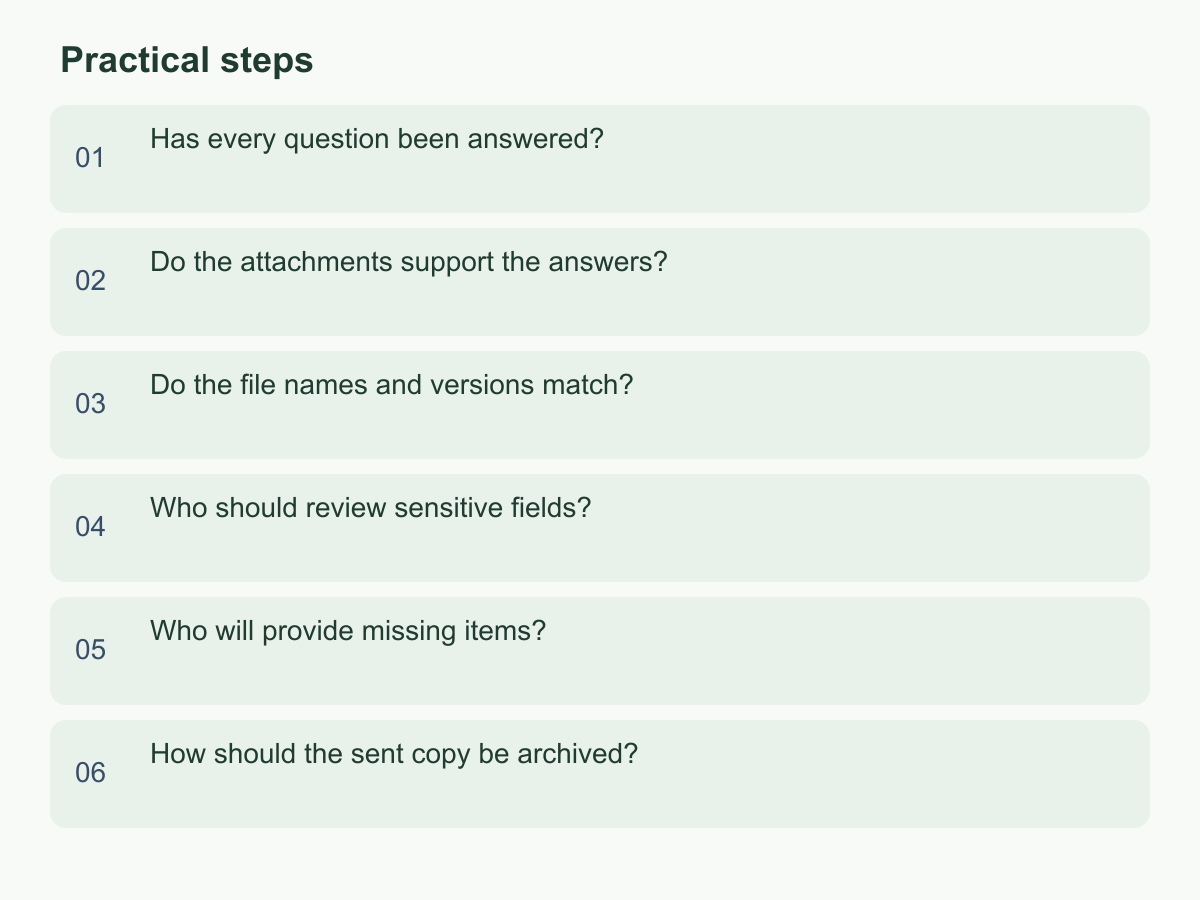
Has every question been answered?
Use the sender’s email, form, or checklist as the source. Put each request on its own row, recording the original question, drafter, answer location, and status. This prevents a complete-looking document from hiding omissions and lets a reviewer trace each requirement to its answer and supporting evidence.
Check that each answer covers the requested subject, period, scope, and units. If records are requested, identify the relevant paragraph or attachment. Mark each row complete, awaiting confirmation, or needing information, and assign an owner to open items. Split compound questions so one answered part does not close the entire request.
Suppose the sender asks for the responsible department, applicable period, and supporting documents. Create three rows: link the first to the response paragraph, verify the start and end details for the second, and name the attachment for the third. The reviewer can compare each answer with its source. If the response says “see attachment,” verify that the file is present and identifies the relevant content or page.
If available records do not answer a question, do not turn an assumption into a definite response. Mark it pending, identify the missing information or decision, and route it to the designated owner. Record any clarification question and its follow-up owner. Complete the row only when the answer, its basis, and any attachment location can be checked against one another.
Do the attachments support the answers?
Each attachment should identify the answer it supports and what the recipient should inspect. Start with references in the response. For each file, confirm that it is on the sending list, its name matches the reference, and it opens to the expected content. If an answer relies on two records, list both separately; “relevant information attached” leaves the recipient to search for the evidence.
Include the question number, response location, attachment name, whether the file opens, and whether it contains anything that should not be shared in the sending checklist. When an attachment changes, recheck its name and version against the response. If a summary or screenshot replaces the original, confirm it still supports the wording. Open compressed files, scans, and multipage documents to check that they are readable, correctly oriented, and complete.
For example, if question two requests operating data for a particular period and the response says “see Attachment B,” compare the actual file name with that reference. Open the file and check that its period and fields match the request; compare its figures with any response summary. If it contains several worksheets or pages, identify the relevant one. State the summary’s scope if it shows only part of the data, so it is not mistaken for a complete record.
If there are multiple versions or the recipient may not be able to open the format, ask the responsible owner which readable copy to provide, then verify it against the source. Do not substitute a similarly named file or list an unverified attachment as included. Record what is still outstanding and why, arrange follow-up or confirm an acceptable format, and update the response’s attachment description to match what will be sent.
Do the file names and versions match?
File names should help the team and recipient identify the subject, period, and version, and agree with the response references and sending checklist. Check the name, version shown on the first page or in the footer, attachment list, and actual file in the outgoing folder. If labels such as “final” and “final revised” could cause confusion, determine which file is approved for sending and remove or separate the ambiguous copies.
A consistent format might be “subject_period_version_date.” Define date and version labels according to team practice, and keep one clearly identified current version. After a change, record who made it, when, and what changed. Even a spelling correction may require another review under team rules. Use a file list to check size, format, and version; a recent modification time alone does not show that a file is correct.
For example, a working response might be named “Operations_Data_assumed-period_v02.” If a field changes after review, create the next version under team rules and record the change. Put the approved version on the sending checklist, then compare the checklist, response references, and files in the outgoing folder. If the text still points to v02 while v03 is attached, pause and update the reference. Resume when all three point to the same content.
If the sender requests a naming convention, confirm whether they mean the file-name format or a specific version. Do not treat an external label as internal approval. If different versions have already been sent or the extent of changes is unclear, preserve the records and ask the document owner which version to use and how to correct the discrepancy. When the version is uncertain, pause sending to avoid mistaking a similarly named file for the current one.
Who should review sensitive fields?
For personal data, contact details, account fields, internal identifiers, or unpublished operating figures, confirm the source, purpose, and intended recipients. Have an internally designated person review the information. Familiarity with the document does not mean the author should be the only reviewer; the second reviewer needs enough context to compare the data with its source and intended use. Confirm that the recipient and anyone copied are appropriate for this response.
Review names, dates, amounts, currencies, identifiers, and contact details for accuracy and possible misreading. Check attachments for hidden columns, comments, tracked changes, or personal data that is not needed. If full disclosure is unnecessary, ask the data owner whether information can be removed or masked. Inspect the exported file itself to confirm masking works; placing a movable shape over text may leave the original information accessible.
Suppose the response needs only the last four digits of a record for identification. The reviewer should check the complete field against an approved source, then confirm that the external version keeps only the required digits. Check other pages, file names, and comments for the full value as well. The checklist need only record the reviewer, fields checked, and approved file name; there is no need to copy sensitive values into a separate tracker. Reopen the exact file to be sent and confirm the change is present.
If sources conflict, the purpose of a field is unclear, or the reviewer cannot determine whether it may be shared, pause that field and its related attachment. Ask the designated internal owner to decide how to proceed. Do not guess a replacement value or skip the check because the deadline is close. If outside clarification is needed, frame the question without unnecessary sensitive details, assign someone to obtain the answer, and record how it affects the sending version.
Who will provide missing items?
A missing item needs a clear description, an owner, and a next check-in time. Otherwise, “someone is handling it” can leave nobody following up. Track whether it is waiting on an internal team, an external reply, data verification, or formatting, and note which question or attachment it affects. Anyone taking over should be able to see what is missing, what has been checked, and which reviewer to notify when it arrives.
When a gap is reported, determine whether it could change an answer, an attachment’s conclusion, or an action expected of the recipient. For each follow-up request, specify the needed fields, period or scope, source, and expected delivery time. When new material arrives, verify its source, version, and relevant fields; adding a file to the outgoing folder does not complete the check. If it changes existing content, update the question-by-question checklist and arrange review of affected items.
For example, if one of five attachments is still due from a department, record: “Attachment 3; owner A; operating data for the specified period needed; check fields on receipt and ask reviewer B to confirm.” The other four can be prepared in parallel, but the owner must decide whether the missing attachment prevents a complete response. This keeps work moving without suggesting that the pack is complete or that an unchecked item has been approved.
If supplied information is incomplete, unreadable, or has no confirmed delivery time, describe the issue and ask the owner whether to follow up, send items in stages, or adjust the plan. Do not promise a delivery time the other party has not confirmed. If sending completed items first, distinguish what is included from what remains outstanding and confirm that staged delivery fits the internal plan. When the missing material arrives, update the checklist and record the renewed checks and review.
How should the sent copy be archived?
The archive should make it possible to reconstruct what was actually sent, to whom, and under which approved version. Before sending, confirm where records will be saved and who can access them. Gather the final response, attachments, question-by-question review, and sending record. Use names that connect files to the subject and version. Follow the team’s existing folder structure and naming practice to avoid creating a second, hard-to-track system.
After sending, compare the mail record’s recipients, subject, and attachment list with the saved final files. Keep a record that identifies when and what was sent. Separate the sent version from working drafts so someone checking later does not mistake an unapproved document for the official copy. If a file was compressed or converted, preserve the form actually sent. Confirm that the archived file opens and its name matches the email.
Suppose the response was revised twice. Save the final sent document, corresponding attachments, approved checklist, and sending record. Keep earlier versions identifiable in the working history instead of overwriting the trail. If someone later asks where a figure came from, they should be able to trace the response paragraph to its attachment and then to the review record. This is a general filing approach; set the storage location and access rights according to internal procedures.
If you discover after sending that an attachment was wrong, a recipient was incorrect, or a file will not open, record when you noticed, what was affected, and who is handling it. Ask the designated owner whether to correct or resend the material. Do not silently replace the archived copy, which would obscure what was originally sent. After resolving the issue, save the corrected version and its sending record, then update the index so the original delivery and follow-up remain distinguishable.
Before the next response goes out, reuse these six steps as a checklist. Assign an owner to each open item, record the checks, and have the designated reviewer confirm the final attachments. For information about Chan & Chung, visit the brand homepage.