Published · Updated

You are preparing to sign a contract with a Hong Kong company and have only its English name and Business Registration Number (BRN). Which records should you check first? Imagine a Taiwan-based cross-border e-commerce operator who wants to confirm the counterparty’s legal identity, inspect company documents and check whether a provider of regulated trust or company services holds a TCSP licence. These are separate checks. Official registers show information recorded in registers or submitted documents; on their own, they do not establish a counterparty’s ability to perform a contract or prove that other regulated activities are licensed. Start by stating what you need to confirm, then choose the right source so another person can review your results.
Establish your purpose and identify the company
Before searching, write down your purpose in one sentence. Are you identifying the legal entity that will sign a contract, reviewing the company’s registered particulars, obtaining a specific filed document, or checking whether a trust or company service provider holds a TCSP licence? Each purpose calls for a different index or report. Combining them can lead to mistaken conclusions—for example, treating business registration, a filed company document and a person’s name in a record as if they proved the same thing.
Ask the counterparty for its full Chinese and English names, BRN and any former company number it may have used. Following implementation of the Unique Business Identifier (UBI), the BRN replaced the former company registration number as the key number for searching and identifying companies and entities. The Companies Registry’s e-Search information explains the search scope and number mapping. If you search by company name using Exact Name Search, retain the punctuation, spaces and endings such as Limited or Company Limited. Omitting any of these can produce different results, as explained in the e-Search FAQ. Do not edit a name yourself and then treat results from different searches as the same company.
A practical sequence is:
- Search by BRN or a known former company number. If you only have a name, use the complete Chinese or English name, including its ending.
- Compare the name and BRN in the result, along with any other identity details shown, with the contract or other transaction documents.
- If there are similar names, inconsistent numbers or only a name variant, record the ambiguity and seek clarification before drawing a conclusion.
- Save the purpose, search terms, identifier, selected record and unresolved questions so another reviewer can follow your basis.
You can use the e-Services Portal as an unregistered online user; you do not have to open an account first. Reports and document images may still incur fees. If the counterparty gives you only a former number, use the Registry’s number-mapping search first, then search the company by BRN. This reduces the risk of mistaking different number formats for different entities.
Distinguish company registration from business registration
Company registration and business registration are separate searches. The Companies Registry’s company register contains registration information, indexes and records of filed documents for companies and certain other entities. The Inland Revenue Department’s (IRD) Business Register contains business registration information. A Hong Kong limited company may have records in both places; finding a record in one does not mean you have checked the other. If the subject is a sole proprietorship or partnership, identify its legal form before choosing a register.
The BRN is an important identifier, but a Business Registration Certificate is not a licence for every activity. The IRD says that business registration does not regulate business activities and is not a licence to trade. Unless there are reasonable grounds for doubt, new entries and changes are generally checked only in summary, not verified item by item; the register’s information is for reference. See the IRD’s general business registration information.
To apply for business registration documents, the IRD requires the BRN and business name. If you do not know the BRN, you can use its Business Registration Number Enquiry service. It asks for the target business’s full Chinese or English name and its location. Since 4 September 2023, public applications for business registration documents have been handled through the online service rather than paper applications. The IRD’s application page describes the available documents and process.
For a clear handover, keep two lists. In the Companies Registry list, record the company name, BRN, company particulars report, document index and any images obtained. In the IRD list, record the BRN, business name, business register extract or certificate, and application details. Note the search date and source for each item. If names, addresses or statuses differ, first compare the identifiers, record types and document dates. Record the discrepancy for follow-up; it does not by itself establish a breach or fraud.
Choose between company particulars reports and document images
A Company Particulars Report gives a summary of key information in the register. To confirm the contents of a particular filing, find the relevant entry in the Document Index and obtain its image. Use the report for an overview; use document images to check what a specific filing said and when it was filed. If your question concerns a director change, shareholder information or another historical filing, use the index to locate the relevant document.
Depending on the company type, a Company Particulars Report can include basic company details, the registered office address for a Hong Kong-incorporated or re-domiciled company, share capital structure, applicable shareholder information, current and reserve directors, the company secretary, and any receiver, manager or liquidator. A report for a registered non-Hong Kong company can include its principal place of business and authorised representative details. The report is not available for every historical company record: the Registry says it is available for local companies, registered non-Hong Kong companies and re-domiciled companies, but not certain older records, including companies dissolved or without a Hong Kong place of business before 1 January 1999 and companies that requested to be struck off before 1 February 1998. Check the e-Search FAQ for the report’s scope.
Before ordering an image, review the Document Index for the document name, filing date, file size and processing status. A document awaiting registration may appear in the index even though its image is not yet available. An index entry therefore does not mean that you have obtained the document or that it has completed registration. If the image is being processed, retain the status and follow the Registry’s instructions rather than substituting a different filing.
A Company Particulars Report costs HK$22 per company. Image fees vary by document type, user account and access method: the current Companies Registry fee table lists image charges from HK$9 to HK$35 per document. Check the relevant category and fee again before ordering. Do not confuse the report fee with the image fee. If you only need current directors, a Directors Index search may be more direct; for a historical change, obtain the related filing as well.
Check directors, shareholders and historical changes
Separate current information in a report from historical filings. The Directors Index can show current and reserve directors. To check who was reported as appointed, resigned or having changed particulars, locate the relevant filing image. Shareholder information in a report also has limits: depending on the company and records filed, the Registry may draw it from the incorporation form NNC1, annual return NAR1, return of allotment NSC1 or, for a re-domiciled company, form NSC21. These are filed particulars, not a complete proof of share ownership or beneficial interests. The e-Search FAQ explains the sources of shareholder information; the Companies Registry forms page lists forms including NAR1, ND2A, ND2B, ND4 and NSC1.
To build a history, search the Document Index for filings relating to directors, the company secretary or shareholders. Note each document’s name, filing date and processing status. Once an image is available, arrange the events, roles and dates shown in the documents into a timeline, then compare it with the report summary. If a filing is pending, an image is unavailable or documents conflict, mark the item as unresolved and retain the records. Do not guess what happened between filings.
Also account for limits on public access to personal information. The Companies Registry says that usual residential addresses and full identification numbers in documents delivered for registration on or after 24 October 2022 are not provided for public inspection. From 27 December 2023, data subjects may also apply to withhold those details in registered documents. Public searches therefore do not show all personal information. The absence of a detail does not establish that a person does not exist or did not hold a role. See the Registry’s guide to obtaining company information.
A TCSP licence search is a separate task
TCSP means trust or company service provider. To check whether a provider of regulated trust or company services appears on the relevant licence register, search the Companies Registry’s TCSP Registry. Compare the legal entity name, licence number and status shown, and keep the search date with your record. Company registration and business registration do not replace this check. A TCSP register covers this category of provider; for licences in other industries, use the relevant regulator’s register. If a transaction requires formal written evidence, consult the Registry’s guidance on certified extracts and proof for the applicable application process.
A compliance disclosure on the Chan & Chung company secretary and compliance page identifies Intelligent Services Limited (TCSP Licence No. TC010349) as the provider of regulated trust or company services, rather than Chan & Chung Consultancy Services Limited itself. A website disclosure is not a live check against the official register. If a transaction depends on a licence, search by the actual contracting entity’s legal name and licence number. For market context on service providers and licence checks, see How to Choose a Hong Kong Company Registration Service Provider. That related article does not make company searches or licence checks a Chan & Chung offering.
Keep search records and resolve discrepancies
Organise your results so another person can review them. A transaction file can include the purpose of the search, date, names and identifiers used, selected company record, Company Particulars Report, document index, images obtained, and order and payment records. This is a practical record-keeping suggestion, not a statement of a statutory retention requirement. For an order placed as an unregistered user, the digital receipt’s Order Number and Download Code may be needed to retrieve the files. The Registry says ordered image records remain in the download area for seven calendar days, so download them promptly and save a separate copy. Its e-Search FAQ explains receipts, order enquiries and downloads.
If information does not match, check in sequence whether you selected the wrong company or branch, omitted punctuation or a company-name ending, failed to map an old company number to its BRN, compared documents of different dates or types, or relied on an index item that is still pending or processing. If an image is missing or defective, or a result appears inconsistent, follow the Registry’s support process. Provide the relevant image, digital receipt and order details, and retain any reply or reference number. The Companies Registry FAQ describes how to report image problems and discrepancies.
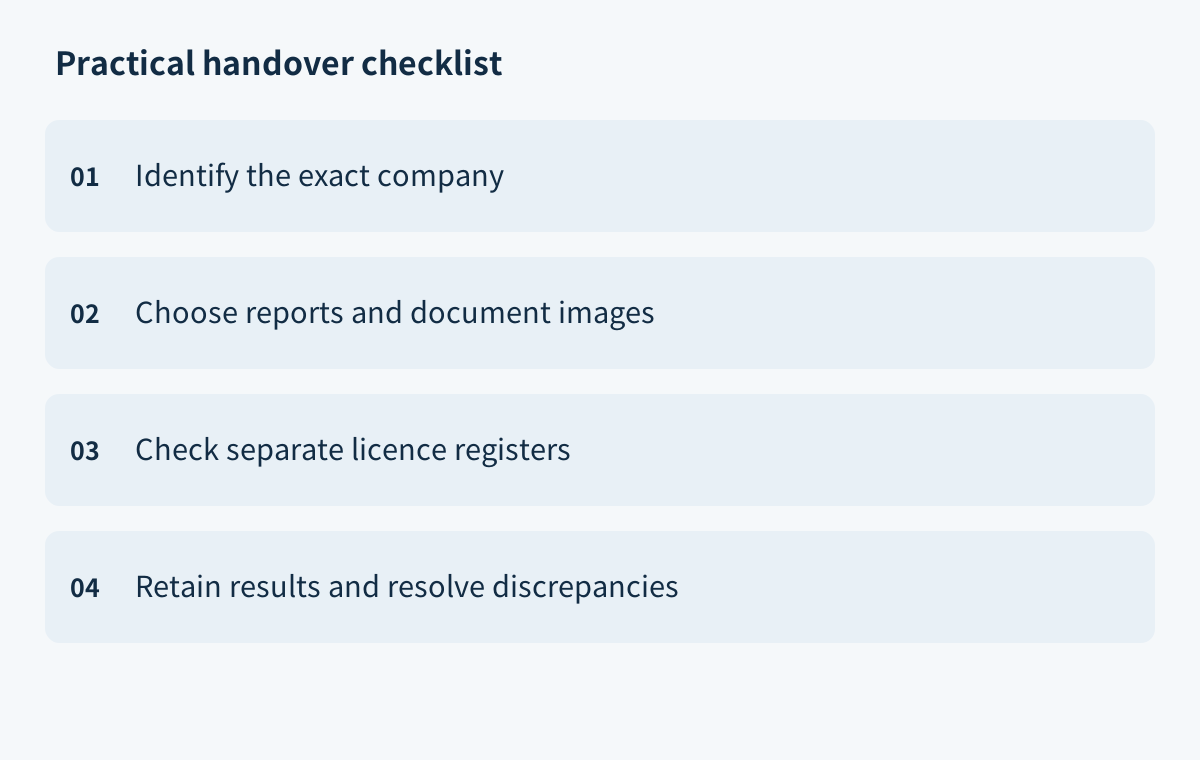
A simple handover record can include the open question, identifier used, search source, document name, filing date or status, description of the discrepancy, next channel to contact and person responsible. Mark unresolved items as pending confirmation and attach what you have found so far. This helps the next reviewer continue the check without treating an incomplete search as a conclusion.
If you need a case-specific assessment, use the website’s contact channels to raise your question. This article is not legal or tax advice and does not promise an outcome.