Start reporting, device protection, and account safeguards as soon as a company phone goes missing. Confirm each step against company platforms, permissions, and procedures.
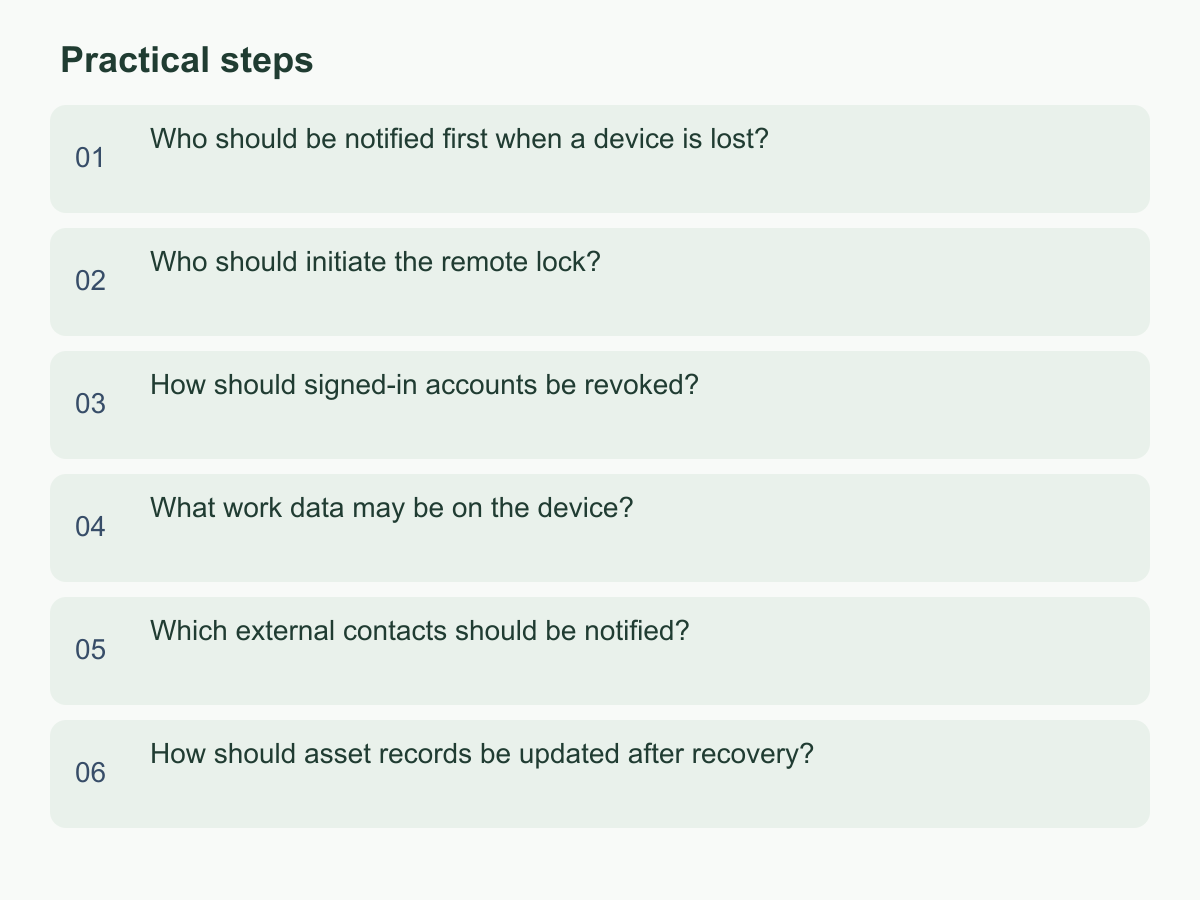
Who should be notified first when a device is lost?
Report promptly; do not wait until every place has been searched or theft is confirmed. From another device, the employee should contact their manager and the designated IT or information security contact. Share the last confirmed time and place the phone was held, its model or asset ID, screen-lock status, and whether anyone else recently borrowed or held it. If no contact is designated, the manager should appoint one incident owner and set a safe callback method.
Separate facts from assumptions. “I noticed it was missing after work; I last saw it at the office” can be checked; “it was stolen” may not be confirmed. Record an alternative contact number, whether a spare company phone is available, and whether the phone could be with a colleague or customer. Never ask the employee to receive verification codes on the missing phone. Involve the privacy or security contact if it may contain another person’s data or an administrator’s sign-in.
For example, after a commute, an employee can call the manager and IT from a personal phone and provide the asset ID and last known location. The manager assigns an IT administrator and records who owns the next steps. Safe searches can continue in parallel, but should not delay account protection. If found, notify the owner, verify any handoff, record the time, and cancel pending measures where appropriate.
Who should initiate the remote lock?
Only an authorized IT administrator who can verify company ownership should use the device-management platform. The employee supplies the model, asset ID, and last known use; the manager helps confirm who held the phone. The administrator checks whether it remains in the organization’s management list, reviews its last connection and available permissions, then sends a lock request. A command may wait until the phone reconnects, so “request sent” does not mean “locked.” Record the status, follow-up owner, and next check time.
Locking and erasing are separate decisions. A lock may make direct viewing harder. Erasing can remove unsynced company or personal data and affect recovery or later review. Before a wipe, establish what sensitive information may be stored locally, what is known about encryption and backups, whether access can be revoked separately, whether data must be retained, and who can approve erasure. Features and execution vary by platform; do not assume every phone can be located, locked immediately, or wiped remotely.
If the platform says “waiting for device connection,” record that the command was sent but execution is unconfirmed. Begin session revocation in parallel. If unsynced work files may be present, ask the data owner about preservation before deciding whether to erase. Keep the platform response and operator record, and follow up until the lock is confirmed or another protective action is complete.
How should signed-in accounts be revoked?
Assume the phone may still have active work sessions. List the company services it could reach. Each system’s authorized administrator should use a trusted interface to revoke sessions, sign-out tokens, or app permissions. If only suspension or credential reset is available, first confirm the impact and approver, then follow the platform’s process. Changing a password alone may not end existing sessions. Check session status or sign-in records afterward; if there is no readback, mark the result unconfirmed. Verify the employee’s identity before account changes and record the check time.
Prioritize services that expose substantial data or can unlock other accounts: company email and collaboration tools; customer or order systems; finance and payment portals; cloud consoles; password managers; and administrator identities that can reset credentials. For each, note the administrator, revocation method, status, and any delay. Include the SIM and multifactor authentication method if the phone can receive codes. Remove the lost device or enroll a replacement through the platform, preserving a secure alternative for contact and recovery.
For example, revoke sessions separately in email and cloud documents, then check for unusual sign-ins. If email confirms revocation but the document system has not returned a result, record one as confirmed and the other as pending. One success does not confirm every account is protected. If the phone held an administrator’s authenticator, another authorized administrator should secure high-impact accounts first. Then verify the employee and enroll a new device. Tell the employee when it is safe to sign in again.
What work data may be on the device?
Look beyond files visible in the phone’s file browser. Signed-in apps, downloaded attachments, offline caches, browser sessions, and notification previews may expose company information. Ask the manager or data owner and employee to list categories: email and messages; customer and employee contacts; contracts and identity-document copies; orders and financial records; product or design files; internal links; and password or authentication tools. Record data types and likely locations, not extra sensitive content in a general incident log. Each data owner confirms their scope; the incident owner consolidates it.
Assess sensitivity, potential access, and known protections. Confirm screen-lock status, what is known about encryption and backups, whether data could be read offline, whether sessions have been revoked, and whether the phone was shared or loaned. Mark unknowns as pending: a passcode alone does not prove the data was protected, and uncertainty does not prove exposure. Refer possible customer, employee, or partner data to the company’s designated privacy or security contact.
Suppose the phone had email attachments, customer numbers, and a downloaded contract, but local storage is uncertain. Record “email: reachable through a signed-in session,” “contacts: possibly in the address book,” and “contract: download status to confirm.” Check sync and offline settings. Do not label everything exposed or ignore a possible local copy because another copy is in the cloud. Assign an owner and follow-up time to each check, updating the same record as evidence changes.
Which external contacts should be notified?
Choose contacts based on the services and data the phone could reach; a loss does not automatically require notifying every customer. If the SIM could receive calls or verification texts, ask the carrier through a verified channel about suspension, replacement, or keeping the number. For work accounts using external email, cloud, identity, or device-management platforms, the organization’s administrator should use a verified support route for session, credential, or assistance requests. Notify the relevant account contact if finance access, payment verification, or administrator credentials may be affected.
The responsible person decides whether customers, partners, insurers, or public authorities need contact based on confirmed facts, contracts, company policy, and applicable requirements. This guide does not determine duties or deadlines for a particular incident. Establish whose data may be involved, evidence of unauthorized access, and which accounts need restrictions. A notice should state confirmed facts, actions underway, and a follow-up contact. Do not speculate about exposure or promise all impact has been eliminated. Verify recipients before sharing details; avoid addresses supplied through suspicious calls or messages.
For example, if the phone could receive work verification texts but there is no evidence customer records were viewed, the owner can ask the carrier about the SIM while an administrator revokes sessions. The privacy contact assesses whether others need notice. Use official identity-verification procedures and record the contact, reply, owner, and next step in the incident file.
How should asset records be updated after recovery?
When a phone is recovered or replaced, IT verifies its identity and holder, lock or erase status, and account-revocation readback before deciding whether it can reconnect to company services. If unauthorized use, tampering, or an unknown data state is possible, preserve the situation and ask the responsible person to assess it. Do not unlock, reset, or sign in for convenience. Before re-enabling a device, verify the user, update screen-lock and authentication methods as needed, refresh necessary credentials, and confirm it is back in the organization’s management list.
Keep a traceable history: device and asset IDs, original holder, report time, remote commands and results, affected accounts and revocation status, external contacts, recovery or replacement date, and people who checked and approved actions. Assign an owner and follow-up method to unresolved items. When complete, update the incident status and link supporting records under the company’s retention process. Mark the old phone’s verified status—such as recovered pending inspection, erased, or retired—so it is not shown as in normal use.
If a locked phone is found, the administrator checks its lock and session-revocation status before the employee uses the confirmed recovery method to enroll a new authenticator. Update the asset list and note open data checks. If it is not recovered, record the approved retirement or replacement decision and who holds any spare device. Start with one incident record covering the reporter, owner, device, accounts, data, contacts, and outcomes. For information about Chan & Chung, visit the English-language website.