
For SaaS merchants, an unsuccessful renewal raises several related but distinct questions: what happened to the payment, what the customer needs to do, whether the invoice was charged again, and whether the account should remain available. Acting on a single failure notice can lead to an unnecessary retry, customer message or access change. This guide separates event classification, system checks, customer contact, retry records and access decisions so finance, support and product teams can hand off the same billing identifiers. Each action should follow the merchant’s approved policy and the payment tool’s current configuration.
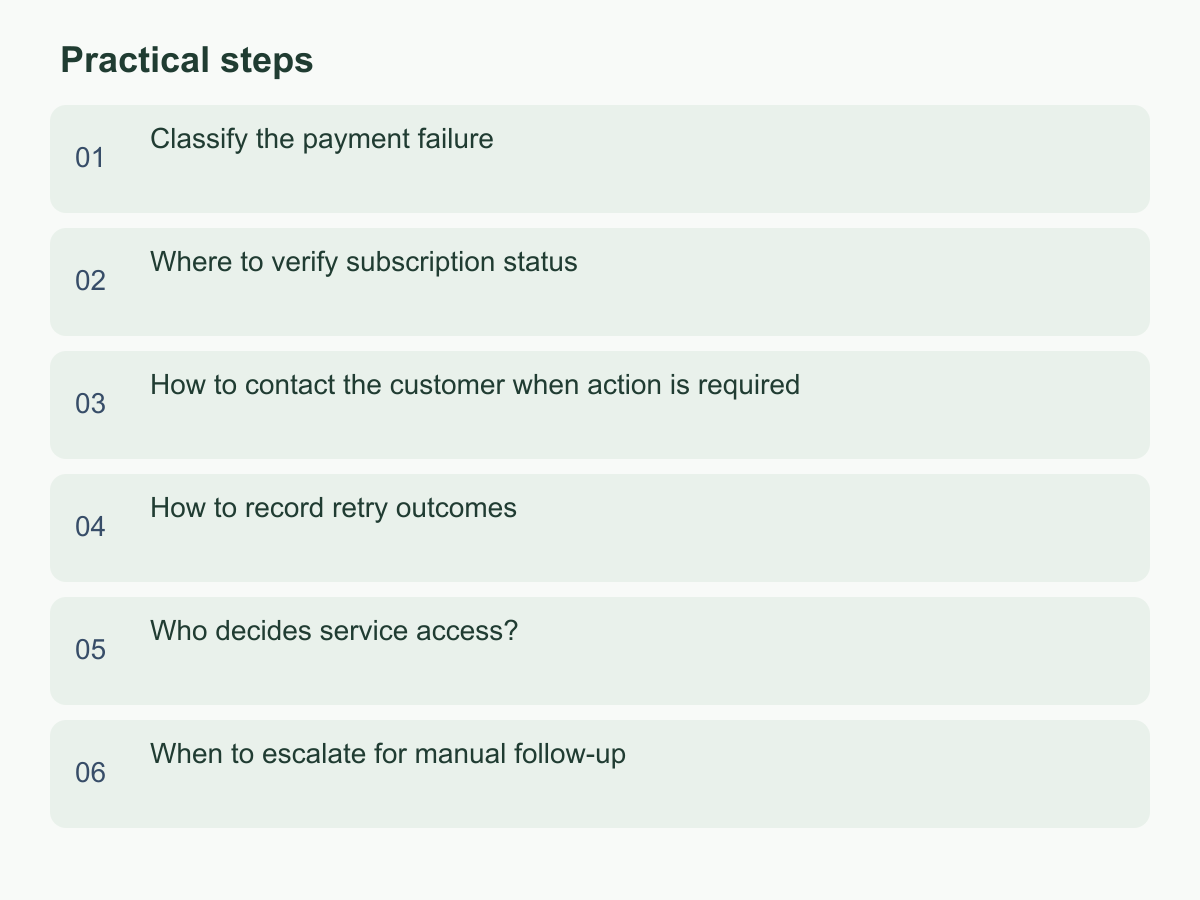
Classify the payment failure
Start by placing the event in one of four categories: payment declined, customer action required, payment details or records inconsistent, or outcome unconfirmed. Check the billing period, amount and currency, then review the processor’s response, event time and transaction ID. If the response says only declined or temporarily unavailable, record what the processor reported. Do not guess that the cause was insufficient funds, an expired card or the customer’s bank.
If the record says the cardholder must complete verification, update payment details or return to a secure page, mark the case as awaiting customer action. That means a step is incomplete; it does not mean the merchant can enter information for the customer or that payment has been collected. If the merchant’s invoice data, currency or subscription mapping is wrong, classify it as an internal issue and pause another charge under the same conditions until it is corrected. If the transaction is still processing or the response is incomplete, mark it as unconfirmed rather than successful or failed.
Events can arrive out of order. Sort them by event time and use the latest verifiable transaction status; a later success notice may follow an earlier failure. For example, when verification is required, support can record the affected invoice and the customer’s next step while the payment owner avoids creating a second manual charge for the same amount. If verification later succeeds, attach that evidence to the original subscription. For every classification, retain the original response text or code and note who made the assessment. When the same error recurs, check that it concerns the same subscription and billing period before linking it to an earlier case.
Where to verify subscription status
Check three records separately: the invoice or receivable in the subscription system, the transaction result returned by the payment tool, and the account access actually provided in the product. Match the customer account, subscription ID, invoice ID and billing period before comparing the amount, currency, creation time, latest event and update time. A notification email or support screenshot alone does not prove that payment was collected. Likewise, an active subscription does not prove that the current renewal succeeded; access may remain available under the merchant’s policy.
If the three records disagree, write down each source’s original status, the time it was checked and the relevant identifiers. Then identify whether the difference is in the charge, a data sync or an access update. The payment tool may show a completed transaction while the merchant’s invoice page has not refreshed, or the subscription may still appear active after its latest renewal failed. Check the transaction’s detailed events, including any later notification, cancellation or correction. Preserve the existing records before changing anything, so the evidence needed to trace the mismatch is not lost. A notification’s arrival time is not necessarily the transaction time.
For example, if a customer can still log in, support should not conclude that the invoice was paid. The payment owner should verify the transaction for that billing period, while the product owner checks the source and effective time of the access state. If two subscription IDs point to the same customer, confirm which one corresponds to the active agreement before correcting the link. Record the conclusion as four items: source, evidence, assessment and next step. Assign an owner, and recheck the same identifiers if a new event arrives instead of silently replacing the earlier conclusion.
How to contact the customer when action is required
A message should identify the affected subscription or invoice, say what has been confirmed, explain the step the customer needs to take, and tell them how to respond when it is complete. If the payment tool provides a secure way to verify or update payment details, direct the customer to an entry point the merchant has already confirmed. Before sending it, check the link’s source and that it applies to the relevant subscription. Never ask a customer to send a full card number, security code, one-time verification code or account password by email, message or phone.
Keep confirmed facts separate from open questions. For example: ‘We checked this period’s renewal and it has not completed. The payment tool indicates that the cardholder still needs to complete verification. Please use the secure option in your account and reply with this case number when you have finished. Access during this time is subject to what your account currently shows and the terms of your agreement. If you have already completed the step, please tell us when, and we will check the latest transaction.’ Use wording such as verification required only when the actual status supports it. If the reason is unclear, say that it is being checked rather than assigning blame to the customer or their bank.
Before sending, confirm the recipient, include only the minimum identifier needed to locate the subscription, and check that any link leads to the verified payment page. Do not attach another customer’s information or internal transaction records. Log the contact time, channel, case number, requested action and planned follow-up, and mark whether a reply is pending. If the customer says they completed the step but the tool has not updated, check for a newer event instead of asking them to submit payment again. If they are unsure whether a link is genuine, they can sign in through the merchant’s familiar account entry point and look for the payment notice there.
How to record retry outcomes
Before another charge, confirm that the invoice has no successful, pending or duplicate transaction. Check the merchant’s approved retry policy alongside the payment tool’s current settings. The permitted number of attempts, intervals, use of automatic retries and stop conditions depend on those sources. Do not assume every processor behaves the same way or add a retry outside the approved process. If the result is unconfirmed, first check the transaction ID and latest event. If the customer needs to verify or update details, wait for that step before observing or initiating the next charge. Every action should map back to the invoice so manual and automated processes do not charge twice.
Consider this illustrative account record, with the assumptions stated: the monthly fee is HK$800; the first renewal produces a failure event, and the merchant verifies that no charge was made. After the customer updates their payment details, the merchant makes one retry under the existing policy. The second transaction has evidence of success and collects HK$800. The total collected for the period is HK$800: HK$0 from the failed attempt plus HK$800 from the successful retry equals HK$800. Do not count the failed attempt as revenue. Keep the first attempt’s failure reason and evidence that it was not charged, along with the second transaction ID and success time. Then check whether an automatic retry is still queued and handle it under the approved process to prevent another charge.
If the result is unclear, two successful events point to one invoice, or the merchant’s records do not match the processor’s amount, stop adding manual charges. The payment owner should determine whether there was a duplicate charge or a delayed notice. Do not delete records, change dates or overwrite an earlier result to hide the discrepancy. Each retry record should include the trigger, person responsible, time, transaction ID, result, evidence location, next permitted action and owner. This gives the next person enough information to continue without access to the customer’s full payment credentials.
Who decides service access?
The merchant’s previously approved subscription policy should determine access, and the person responsible for product permissions should apply it using verifiable billing information. A payment failure is a transaction result; by itself, it does not decide whether an account should be suspended immediately, remain available or have service restored. The policy should say which states retain current access, whether any grace arrangement applies, who may approve a suspension or restoration, how appeals are handled and who confirms that access has synced after payment. If the policy does not cover the situation, support should not invent a deadline based on one payment event. Escalate the gap to the designated decision-maker, then follow the resulting rule.
Before changing access, verify that the customer, active subscription and current invoice match, and that the payment tool’s latest event supports the decision. For a case awaiting customer action, still processing or affected by a mapping error, preserve the current access state while the policy owner decides what to do. Do not suspend an account based on a single automated notice. If payment is confirmed, follow the merchant’s access procedure and check the product to make sure the change actually took effect. A payment record update alone does not confirm that service has been restored. If access is suspended, record who approved it, the applicable policy, the affected account, when the change was made and whether the customer was notified.
Keep transaction status and access status as separate records. For instance, a transaction can be marked unconfirmed while access remains unchanged and a manual follow-up is assigned. After payment is confirmed, update access according to policy. For automation, define the authoritative source and the responsible owner so duplicate notifications do not trigger repeated suspensions. Periodically compare access records with the supporting transaction evidence, give support a clear route for checks and escalation, and limit payment information to people who need it for their work.
When to escalate for manual follow-up
Escalate when the payment tool and subscription records do not match, the outcome remains unresolved, the customer has completed the requested step but still receives a failure notice, a duplicate charge is suspected, an access change affects the customer’s work, or the current policy does not cover the case. Assign the case to someone authorized to handle the payment, customer contact or product access involved. For refunds, disputed charges or questions about a bank-side decision, follow the payment tool’s support process or the merchant’s established channel. Do not assume what the processor or card issuer decided. If legal, accounting or other professional advice is needed, involve an appropriate professional; a support assessment is not formal advice.
A useful handoff includes only the identifiers needed to locate the customer and subscription, the billing period, amount and currency, each system’s current status, an event timeline, confirmed and unconfirmed facts, prior customer contact, current access state, the relevant merchant policy, the next action and the person taking ownership. Use an authorized internal case channel and do not post full payment credentials or verification data in a group. If evidence is missing, name the source to check and who will check it rather than closing the case with an assumption such as a bank issue. Confirm that both people are referring to the same invoice ID and billing period.
The merchant can maintain a working queue with categories such as payment to verify, customer action pending, retry permitted under policy, access decision pending and closed. Each item should have an update time, next action and owner, and should be cleared against the tool’s actual status. To start, choose one failed renewal, compare the subscription, payment event and account access records, then add the classification, evidence and next owner before proceeding under the merchant’s policy. To discuss how this type of issue relates to cross-border operations, you can contact Chan & Chung through the website.