
When a signed copy arrives, record what came in, what is missing, who acts next and where it belongs. This checklist covers administrative completeness: versions, pages, attachments and dates, then naming, sharing and filing. It does not assess legal effectiveness. Preserve unclear originals and direct questions to the responsible contact.
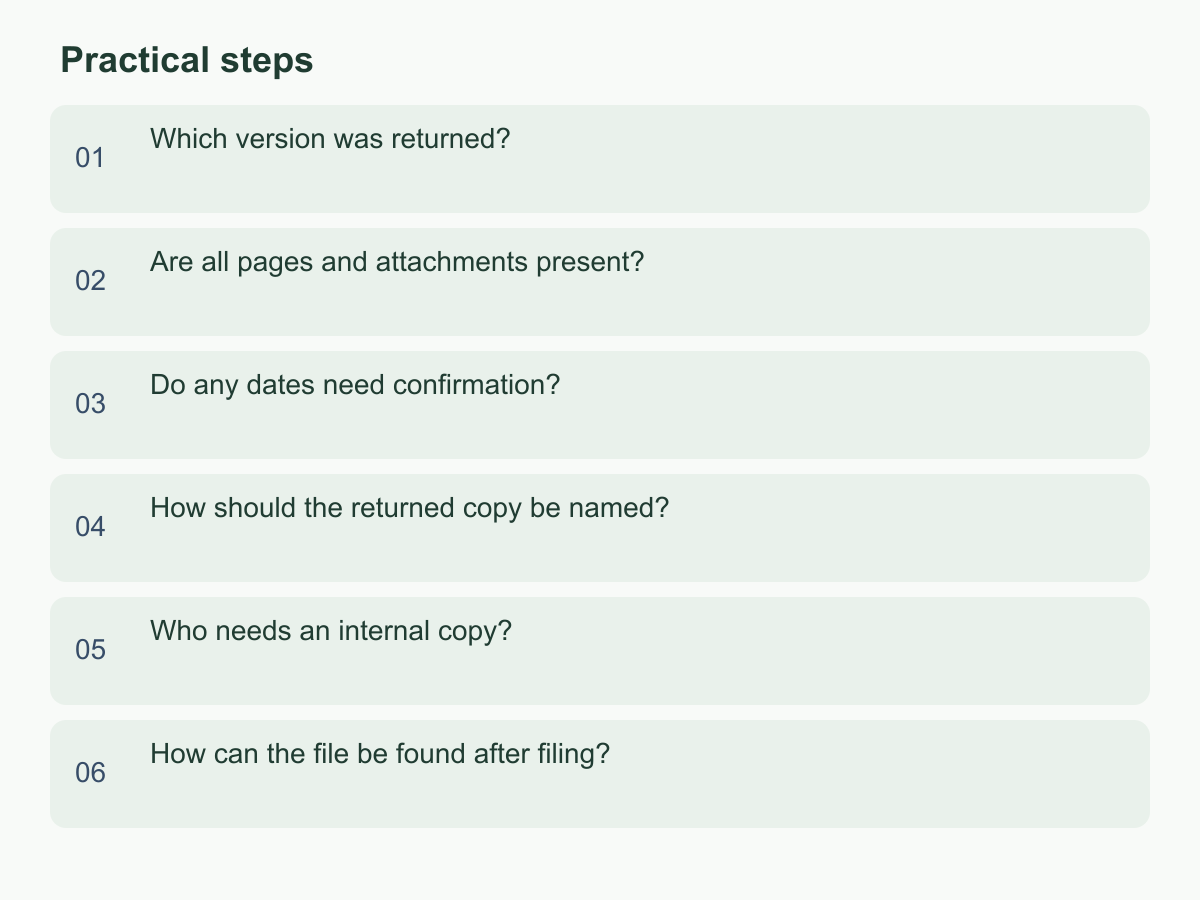
Which version was returned?
Identify the document round; an earlier draft can look final. Check the email subject and time, attachment name and version date, then compare with the sent copy. Names do not prove contents: check the cover, footer code, revision date, page count and visible changes. If “signed” arrives with Word, PDF or similar files, store each separately and note its source.
A comparison log can record the sent version, returned file, observed differences, person to confirm with and status. Describe what you see without interpreting it. For example, if the sent file is “Cooperation_Terms_v3_20261012.pdf” but the returned file is named “v3_signed” and its footer says v2, mark the mismatch and send both originals to the responsible contact. Do not treat the filename as proof of version.
For multiple rounds, retain sent and returned originals and identify the baseline for this check. Verify the sent copy against the email or dispatch record, not a similarly named file in a folder. In shared storage, compare read-only copies and log changes. If a scan has no readable version, record “unidentified” and ask the sender; do not infer sequence from the modified time.
Are all pages and attachments present?
Count pages against the sent copy. Check for skipped or repeated numbers, reversed orientation, cropped text or signatures, and missing tables, schedules or attachment headings. Where there is an attachment list, check each item’s name and order. Otherwise, note explicit references such as “Appendix” or “attached documents” in the main text; do not assume an unreceived item does or does not exist.
For scans or photos, check readability, obscured edges, both sides and supplemental pages. Zoom in if useful, but do not edit an image to fill missing content. Record receipts, download records and related emails separately, linking them to the returned file as source context; they do not replace the page check.
If the count differs, first account for a blank back cover or pages split or combined during scanning, then identify any missing content. Keep “seen,” “not received,” “unclear image” and “needs confirmation” distinct. For example, an eight-page main document plus a two-page Appendix A totals 10 pages; a nine-page return has one page unaccounted for. Check whether the appendix is incomplete and record the exact page or file. If an extra page appears, identify it and preserve it as received.
Do any dates need confirmation?
Locate dates that are filled in, blank, unclear or inconsistent, and ask the responsible contact whether action is needed. Do not enter a date or calculate a signing date, effective date or response deadline. Check the cover, signature pages, attachment front pages and other labeled fields. Record the text and page as shown. If the format makes day and month unclear, preserve it and mark it “format to confirm.”
Use four columns: field location, text shown, observation and person to ask. Include the page number and, if useful, an excerpt with unrelated information hidden. A blank field may be reserved, and different dates may belong to different parties; record those facts without deciding what they mean.
For example, if one party’s signature field shows 14 October 2026 and the other is blank, note both observations and ask what to do. Do not fill in the date or say a legal period begins then. For handwriting, record its location and legibility; keep guesses out of the file. Log who replied, when the instruction arrived and the administrative action taken. Without a reply, leave the item open and do not label the record complete.
How should the returned copy be named?
Follow the organization’s naming convention. If none exists, use a fixed order such as project or company, counterparty, document type, version, status and received date. Use one date format; avoid “latest,” “final-final” or “new version.” Keep identity numbers, bank details and other sensitive information out of filenames, using an approved code or abbreviation where needed.
Preserve the original attachment name and email source. Make an internally named copy, then record the original-to-internal name mapping in the index instead of overwriting the source. Add a status such as “received—check pending” only when accurate. If pages are missing, an attachment is uncertain or versions differ, show that follow-up remains; do not imply completeness or legal effectiveness.
For example, a project HX27 memorandum based on version 3 and received 18 October 2026 could be “HX27_Memorandum_v3_Returned-Pending-Check_20261018.pdf.” If the source was “scan_004.pdf,” keep that name in the index. State whether the date means receipt or filing so it is not mistaken for a signing date. Keep prior versions, distinguish work copies where needed and use consistent folder categories. Ask a colleague to find the file from its name and index; if they must guess, improve the fields.
Who needs an internal copy?
Use the project assignment or handover list to identify the record owner, who needs progress updates, who arranges the next step and who only needs receipt status. If no list exists, ask the responsible contact before sharing; do not widen access by guesswork.
Apply least-necessary access. Confirm who needs the full document and use approved storage and sharing permissions. Do not forward personal or commercial information to private email, public links or unrelated groups. A handover message can state file name, version, receipt time, page and attachment status, open questions, storage location and next owner. For a paper original, state who holds it and how it will be transferred. Label an electronic-only copy so no one expects paper.
For example, the project contact may need the file, while operations only tracks receipt. Give the first access to a restricted folder and send the second a status notice without the document. Separate status messages from file permissions where roles differ. Before sending, check recipients, attachments and access settings for old drafts or unrelated files. Record the notice time and acknowledgment. If no one has accepted the next task, leave the owner unassigned; sending the file does not complete handover. Update the same record if a recipient reports a gap.
How can the file be found after filing?
Use the organization’s project or company folder structure; identify one master copy instead of treating desktops, chat attachments or scattered cloud copies as records. Index the file name, internal version, original attachment name, receipt date, source, page count, attachment list, status, storage path, handler and open questions. For a paper copy, list its location and custodian separately.
Keep the first received original read-only, use working copies for checks and sharing, and mark the current reference copy in the index. Search by project code, counterparty or document type, then use the index to confirm round, version, date and status. Show pending items and owners. When pages arrive later, add a receipt entry; do not erase the earlier record.
If a file is rescanned twice, retain the original return and both supplements; record each submission’s pages and the last page checked. Periodically open a file from the index and match its name and page count. If a link fails, update its location and log the change. Keep index fields consistent and give unresolved questions to the responsible contact with enough detail to find the record again.
If you are organizing operational documents for a Hong Kong expansion, use this checklist on one returned file and summarize missing items and open questions in a one-page handover note. For information about Chan & Chung Consultancy Services Limited, a Hong Kong expansion consultancy, visit its homepage.